
Getting started
The “Getting started” line for members, the “Setup” checklist for admins and the most useful keyboard shortcuts.
At the bottom of the sidebar, above Settings, members see Getting started and admins the Setup checklist. Neither ever interrupts you, and both go away once you no longer need them.
"Getting started" for members
A click folds the line open:
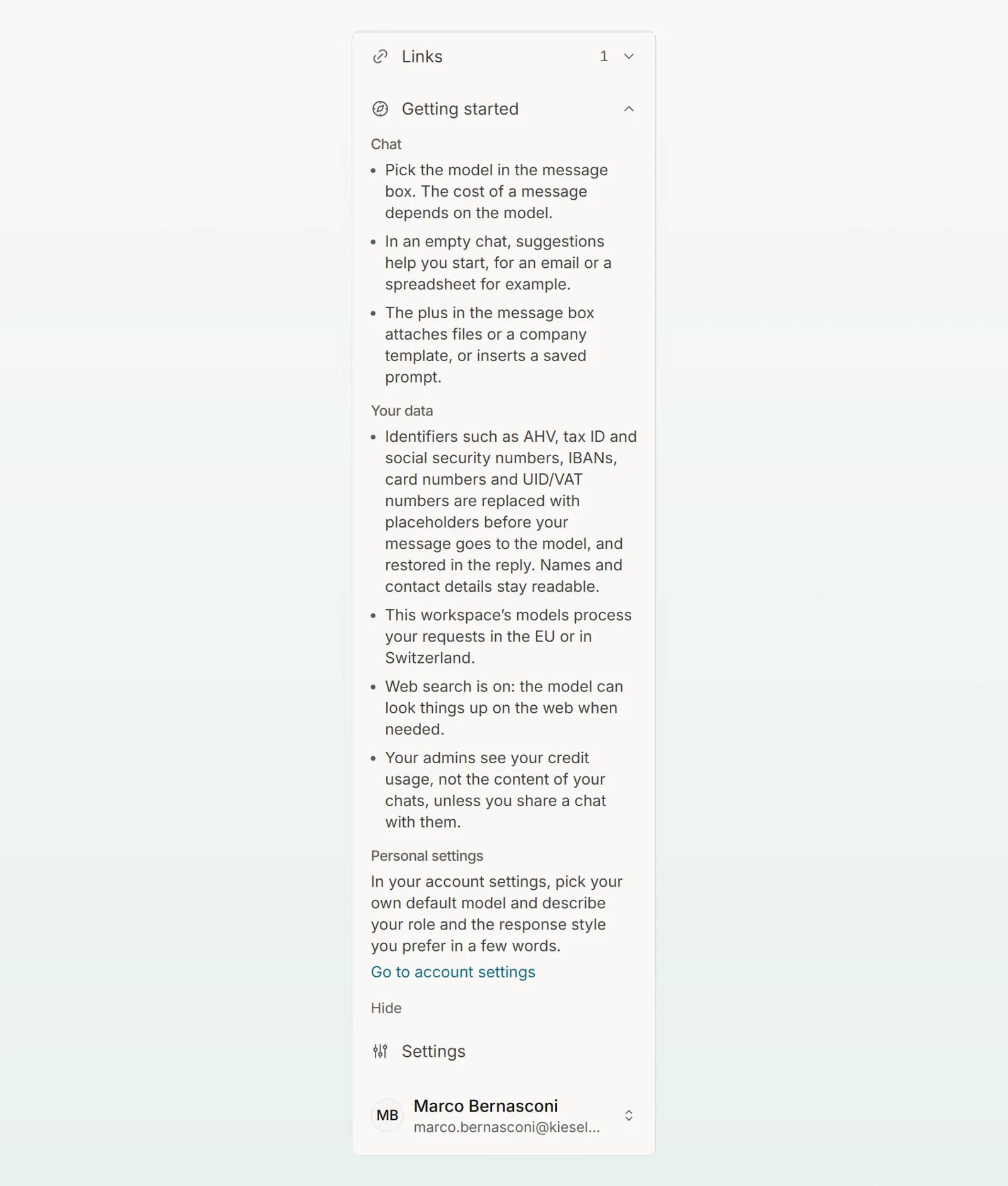
| Section | Content |
|---|---|
| Chat | Choosing the model, suggestions in an empty chat, files and prompts through the plus. |
| Your data | What happens to your messages in your workspace: protection level, region, web search, and that admins only see your usage. |
| Personal settings | Go to account settings opens your profile for default model, role and response style. |
Hide removes the line for you. After three chats it goes away by itself. The rules for your data are then in your profile under How your data is handled here.
"Setup" for admins
Admins see Setup with the number of steps done. Each step leads to the right place and counts as done while its result exists:
| Step | Done once |
|---|---|
| Invite your team | another person is a member or an invitation is open |
| Review data protection | an admin has saved the data protection settings or opened them from the checklist |
| Upload a company template | a company template exists |
| Share a prompt with the team | a prompt is visible to the whole workspace |
| Create an agent | an agent exists |
| Create a Company Brain | a brain exists |
During the trial the last two steps are left out. Hide applies to you only; bring the checklist back under Settings › Security at Setup checklist. The steps themselves are in Set up your workspace.
Keyboard shortcuts
On a Mac, use Cmd instead of Ctrl.
| Shortcut | Effect |
|---|---|
| Ctrl + Shift + O | New chat |
| Ctrl + K | Search chats |
| Esc | Stop the answer |
| Ctrl + Shift + C | Copy the last answer in a chat |
| Shift + Enter | New line in the message box |
Frequently asked questions
No. Your profile always shows what applies to your data, and Chatting with Custodos explains the chat.
You are an admin in this workspace. Admins see the checklist, members the introduction.