
Access, retention and deletion
Who in your workspace can see what, how long chats stay stored, and how chats, accounts and workspaces are deleted.
This page answers three questions: who can see which content, how long it stays stored, and how it is deleted. The basic rule: a chat belongs to the person who writes it, and admins manage the workspace, not their colleagues' content.
Who can see what
| Content | Whoever created it | Other members | Admins |
|---|---|---|---|
| Private chat | Read, write, delete | No access | No access |
| Shared chat | Read, write, delete | Read only, if it is shared with them | Read only, if it is shared with them |
| Attached files in a shared chat | Full access | The file name only | The file name only |
| Project | Full access | No access | No access |
| Agent, private | Full access | No access | No access |
| Agent, for selected people | Full access | Use it, if they are named | See and edit it |
| Agent, for everyone in the workspace | Full access | Use it | Use and edit it |
| Brain | Full access | Depending on sharing: use or edit | Depending on the workspace setting, see below |
| Usage per member | Not visible | Not visible | Usage and costs, never content |
| Activity log | Not visible | Not visible | Read and export |
Some rules behind this:
- Sharing stays inside the workspace. A shared chat opens only for signed-in members of the same workspace, and access is checked again every time it is opened. There are no public links. A reader cannot write in the chat; they can only make their own copy, without the attached documents.
- Admins can switch sharing off. When Allow sharing chats is off, existing shares stop working at once. They stay stored and apply again if sharing is allowed later.
- Brains and admins: with Admins have access to every brain, admins can open, edit and share every brain. When the setting is off, whoever creates a brain decides whether the admins get access. New workspaces start with it off. Changes to this setting are recorded in the activity log. More under Sharing and brain access.
- An agent never widens access. Whoever starts a chat with an agent gets answers only from brains they may read themselves.
The Custodos team
The Custodos team does not join your workspace. Your admins can see who is a member at any time under Members. As a processor, Custodos operates the systems your data is stored on. Chats and documents are not end-to-end encrypted, because Custodos has to read them to send them to the chosen model. Everyone Custodos engages is bound by the confidentiality obligations and technical measures in the DPA (in German). Server logs and the activity log contain no prompt content.
Sign-in and access
- Sign-in: with a link sent to your email address, with Google or with Microsoft.
- Require SSO: members must sign in with Google or Microsoft, and email sign-in links no longer work for the workspace. Admins must have signed in that way themselves first, so they cannot lock themselves out.
- Restrict invitations to domain: invitations go only to email addresses on the domain you enter, your company domain for example.
- Sign out everywhere: anyone can end all of their own sessions on every device from their account settings.
- Removing a member: the person loses access to the workspace at once, along with every share granted to them for brains, chats and agents. If they are invited again later, they start without those shares.
The settings in detail: Sign-in and access and Members and roles.
Retention
Under Settings, section Retention, admins set the number of days after which chats are deleted automatically, from 1 to 3,650. If the field is left empty, chats stay until someone deletes them. That is the default.
- When: a nightly run removes chats whose last activity is older than the number of days set.
- What: the chat with all its messages, the attached files including their extracted text, generated files and the pseudonymisation link.
- What not: documents in a brain, agents and their files, the activity log, and usage and billing data. You delete brain documents in the brain itself, see Keeping a brain up to date. Custodos keeps usage and billing data for ten years under the statutory bookkeeping obligation.
Every member can see the retention period that applies in their account settings.
Deleting
| What | Who | What is deleted |
|---|---|---|
| One chat | The person who writes it | The chat with its messages, attachments and generated files |
| Delete all my chats in … | Any member, in their account settings | All of their own chats in this workspace, with messages and attachments. Colleagues' chats are untouched. |
| Close account | Anyone, in their account settings | Their own chats in every workspace, all memberships, name and email address; sign-in is revoked. Billing and usage records remain, without anything identifying the person. |
| Delete workspace | An admin who is the only person in the workspace, provided nothing was ever billed | All chats, documents and settings of the workspace |
| Workspace at the end of the contract | Custodos | Content is deleted, or exported first on request. Billing data stays for ten years. |
Activity log
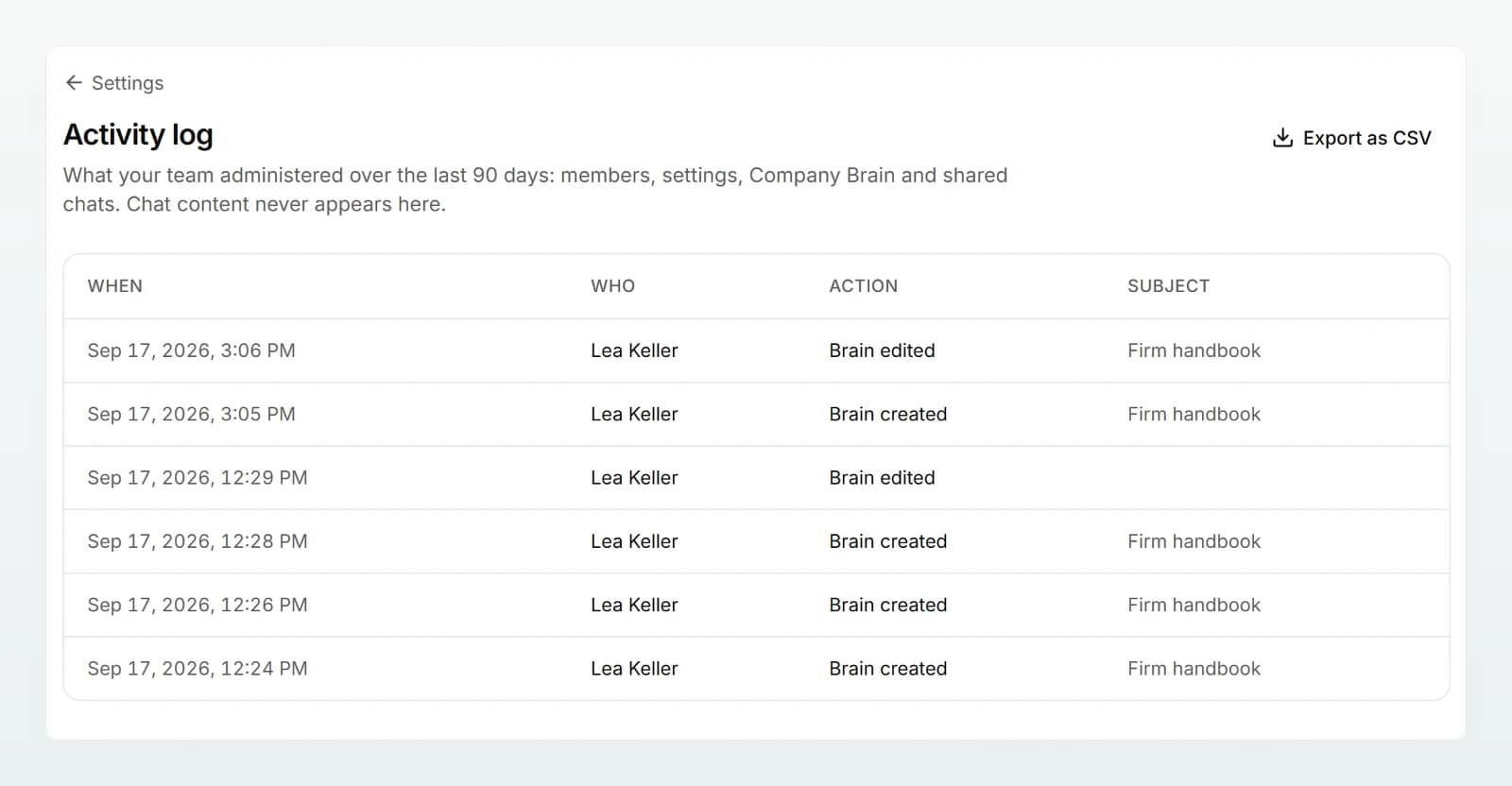
Admins open the log from Settings, section Access: the Activity log row has a View button. It shows who administered members, settings, Company Brain and shared chats over the last 90 days. Export as CSV covers the last 12 months. Chat content never appears there. More under Activity log.
Frequently asked questions
No. Admins see usage and costs per member, but neither the messages nor the attachments of private chats. They can only read a chat if you share it with them or with the whole workspace.
When admins remove the person from the workspace, their chats are not deleted. Private chats stay invisible to everyone else. Chats they had shared stay readable for the people they are shared with. The retention period deletes the chats in due course. If nothing should remain, the person deletes their chats before leaving, for example with Delete chats in their account settings.
No. Backups are encrypted and are not edited after the fact. Deleted data disappears from them when the backup in question expires and is deleted.
Next steps
How pseudonymisation works
Custodos replaces detected personal data with placeholders before a message reaches a model, and puts the real values back only in the reply.
Questions from IT and data protection
Short answers to the questions IT leads and data protection officers ask before a rollout, with pointers to the authoritative documents.