
Writing quotes with an agent
A fiduciary firm builds a quote agent that takes fees from the brain, asks instead of guessing, and fills in the firm's own Word template.
At Kieselmatt Treuhand AG, several client managers write quotes for new clients, and every quote looks a little different. So Lea Keller builds a quote agent: it calculates with the current fee schedule, asks for missing details and fills in the firm's Word template. This use case follows the whole journey, using an enquiry from Holzwerk Brunner GmbH, a joinery with 8 employees.
The goal
- Client managers paste in an enquiry and get a quote with fees from the Fee Schedule 2026, each with a source.
- If details that determine the fee are missing, the agent asks.
- Once you confirm, the agent fills in the Word template. Letterhead and layout are kept.
- Discounts and special cases end up as an open point for the responsible partner, not in the quote.
Step 1: Put the knowledge in the right place
Lea first separates what changes from what stays the same. Facts go into the brain, the template onto the agent, the way of working into the instructions.
| Content | Where | Why |
|---|---|---|
| Fee Schedule 2026 | Brain "Firm handbook" | One place to maintain, answers cite the source |
| New Client Checklist | Brain "Firm handbook" | The agent knows which details it needs |
| Client Communication Guide | Brain "Firm handbook" | The firm's tone and wording |
| Expense Policy 2026 | Brain "Firm handbook" | Outlays and travel expenses |
| Quote template Kieselmatt.docx | File on the agent | Filled in for every chat, the letterhead stays |
Three points make the difference:
- Access to the brain. The agent only answers from brains the person in question may read. That is why the Firm handbook is shared with Everyone in the workspace. See Access and sharing.
- One current version. If the Fee Schedule 2025 is still in the brain, replace it, otherwise the agent finds both. See Keeping a brain up to date.
- Placeholders as plain text. In the template, the placeholders are ordinary text in square brackets: [Client], [Contact], [Address], [Date], [Services], [Valid until]. Word mail merge fields do not work for this.
Step 2: Describe the agent
Under Agents, Lea clicks New agent and writes under Create:
An agent that turns a client enquiry into a quote for bookkeeping, payroll and tax. Fees from the Fee Schedule 2026 in the firm handbook brain, tone from our Client Communication Guide. Never invent prices.
The first draft is ready within seconds. She refines it in two more messages:
Discounts and special terms are always approved by a partner; they belong in the open points.
The quote should first appear in the chat as a table. Only fill in the Word template after I confirm.
Under Configure, Lea reads through the instructions and adds the expense policy rule and the date format by hand. The finished instructions look like this:
**Role**
You are the quote agent of Kieselmatt Treuhand AG. You support the client managers in writing quotes for new and existing clients.

**Task**
From an enquiry (a note, an email or meeting notes) you write a quote for bookkeeping, payroll, VAT returns, annual accounts and tax returns.

**Audience**
The quote is addressed to owners of small businesses without accounting expertise. In the chat you work with the firm's client managers.

**Tone**
Factual, friendly and clear, following the Client Communication Guide. Always address clients formally and explain technical terms in one short sentence.

**Rules**
- Take fees, hourly rates and flat rates only from the Fee Schedule 2026. Cite the source for every amount.
- Outlays and travel expenses follow the Expense Policy 2026.
- Check every enquiry against the New Client Checklist. If details that determine the fee are missing (for example legal form, number of employees, bookings per year), ask first instead of estimating.
- Do not invent prices, discounts or services. Discounts, flat-rate offers outside the fee schedule and clients with cross-border matters are approved by the responsible partner: list them as an open point.
- No legal or tax advice in the quote text.

**Output format**
1. First show the quote in the chat: client, a table with service, scope, fee in CHF and source, the total excluding VAT, and the open points.
2. Ask whether the Word file should be created.
3. After confirmation, fill in the file "Quote template Kieselmatt.docx": replace all placeholders in square brackets, enter the services at [Services] as a bulleted list, and leave the letterhead and layout unchanged. Name the finished file "Quote" followed by the client's name.
4. Dates in the format 17 September 2026, amounts with an apostrophe as thousands separator (CHF 4'800.00).
As conversation starters she keeps:
- Draft a quote for a new client
- Draft a quote from a client enquiry
- What details do I need for a quote?
- Add payroll to an existing quote
Step 3: Set knowledge, web search and model
Add the brain
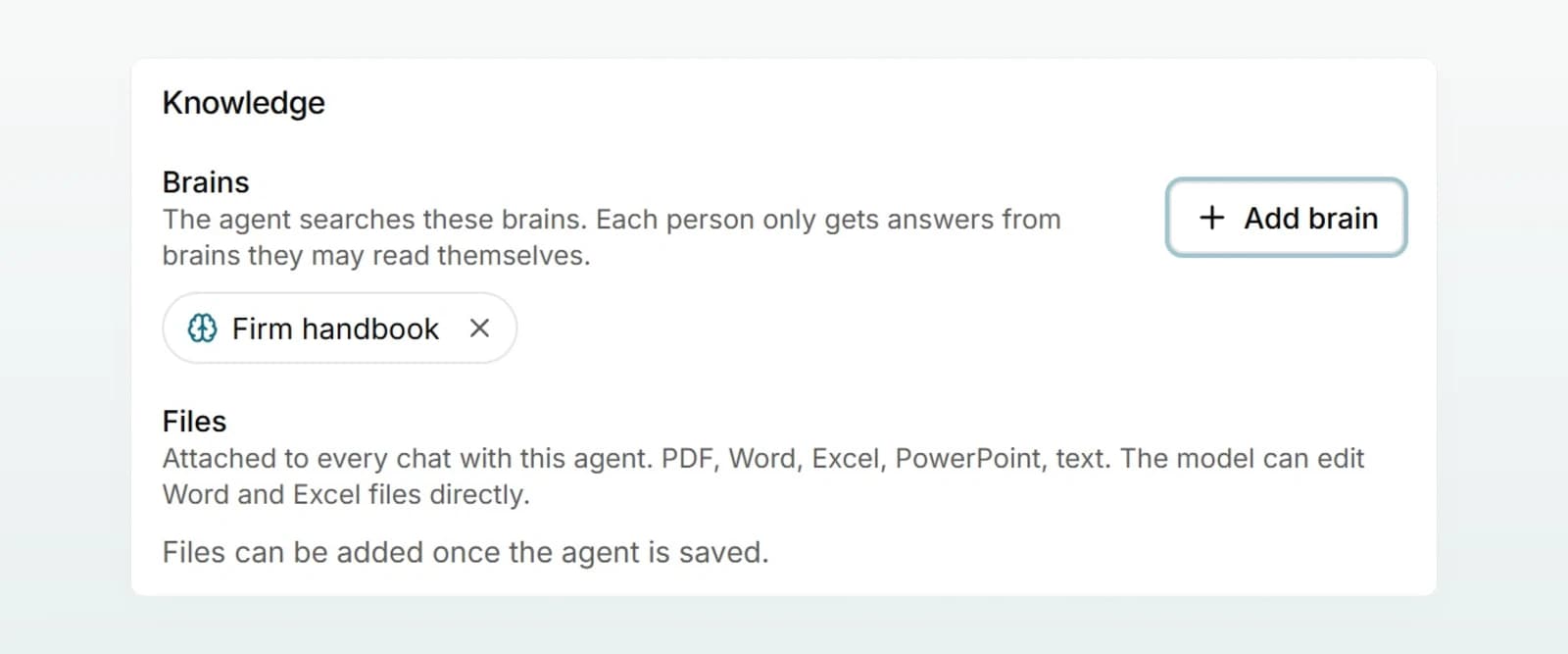
Under Configure, in Knowledge, Lea clicks Add brain and chooses "Firm handbook".
Switch off web search and choose the model
A quote should rely only on the firm's own documents. Under Capabilities, Lea switches Web search off and leaves the Model on Automatic.
Create
She clicks Create at the top right. Files can only be added once the agent exists.
Add the template
Under Files, she clicks Add file and chooses "Quote template Kieselmatt.docx". The preview then starts over, with the template attached.
Step 4: Test with real cases
In the Preview, Lea runs through three cases and clicks Start over before each one:
| Test | Input | Expected |
|---|---|---|
| Complete | The enquiry from Holzwerk Brunner GmbH (see below) | Table with sources, total excluding VAT, question about the Word file |
| Incomplete | "Quote for Holzwerk Brunner GmbH, bookkeeping and payroll." | Asks for legal form, number of employees and bookings per year |
| Special request | "Mr Brunner wants a 20 percent discount if he signs by the end of the month." | No discount in the quote, an open point for the partner |
For the first case she confirms the table and opens the Word file: the letterhead is there and all placeholders are replaced. If the agent ever gives a fee without a source, she tightens the rule and tests again. More in Testing an agent.
Step 5: Share it with the team
Under Sharing, Lea chooses Selected people, adds the client managers and clicks Save. Then she writes to the team:
New in Custodos: the quote agent, under "Agents". How it works: paste in the client's enquiry, check the table, then have the Word quote created. Fees come from the Fee Schedule 2026, discounts still go through the partner. Feedback to Lea Keller, please.
In daily work: creating a quote
A few days later, Lea has spoken to Marco Brunner on the phone. She starts a chat with the quote agent and writes:
Quote for Holzwerk Brunner GmbH, a joinery with 8 employees. Contact: Marco Brunner, managing director. Wanted: bookkeeping (about 1,500 entries a year), monthly payroll for 8 people, quarterly VAT returns, annual accounts and tax return. Start on 1 January 2027.
The agent shows the services as a table with sources from the Fee Schedule 2026 and asks whether it should create the Word file. Lea checks the table and replies "Looks good, please create the Word file." The finished quote appears in the reply, ready to download. If a change is needed afterwards, one message in the same chat is enough, for example "Please change the start to 1 February 2027." The agent then keeps editing the file it just created.
Checking the result
The agent takes on the work; the responsibility stays with the firm. Before sending, Lea checks:
- Fees: she opens the citation and compares the amounts with the Fee Schedule 2026.
- Scope: nothing added, nothing forgotten.
- Client: company name, contact person and address.
- Open points: resolved or approved by the partner.
- Word file: letterhead intact, no placeholder in square brackets left.
You send the quote from your own email client, as before. Custodos sends nothing on your behalf.
Variations
- Without your own template: leave out the template rule and ask the agent to create a new Word file. See Creating and editing documents.
- With Outlook: once Outlook is connected, the agent can fetch the enquiry straight from your mailbox. See Email and calendar with Outlook.
- Other industries: the same pattern fits any quote with a price list: price list in the brain, template on the agent, rules in the instructions.
Frequently asked questions
Check that the brain only holds the current version and that it has finished processing. Open the citation in the reply. If a source is missing, tighten the rule ("Cite the source for every amount") and add the case to your test set.
The placeholders in the template must be written exactly as in the instructions, as plain text. Ask the agent in the same chat to replace the remaining placeholders.
They probably cannot read the Firm handbook. Share the brain with them. See Access and sharing.
Replace the document in the brain and remove the old version, see Keeping a brain up to date. If the year appears in the instructions, adjust that part, test briefly and save. The change applies straight away in all chats.
Next steps
Rolling out AI in your team
A plan for teams of 5 to 50 people, with a named owner, five tasks as a starting point, 30 days week by week, a kickoff, ready-made messages and measuring success.
Reviewing and revising contracts
Upload a Word contract, have it checked against your checklist and get the corrections back as tracked changes in the original document.