
Using company templates
The model fills in a copy of your company template, such as a quote on your own letterhead or a presentation in your corporate layout.
Company templates are your company's Word, PowerPoint and Excel files that an admin has added. In the chat the model fills in a copy; layout, logo, header and footer stay, and the template itself never changes.
Have a template filled in
Choose the template
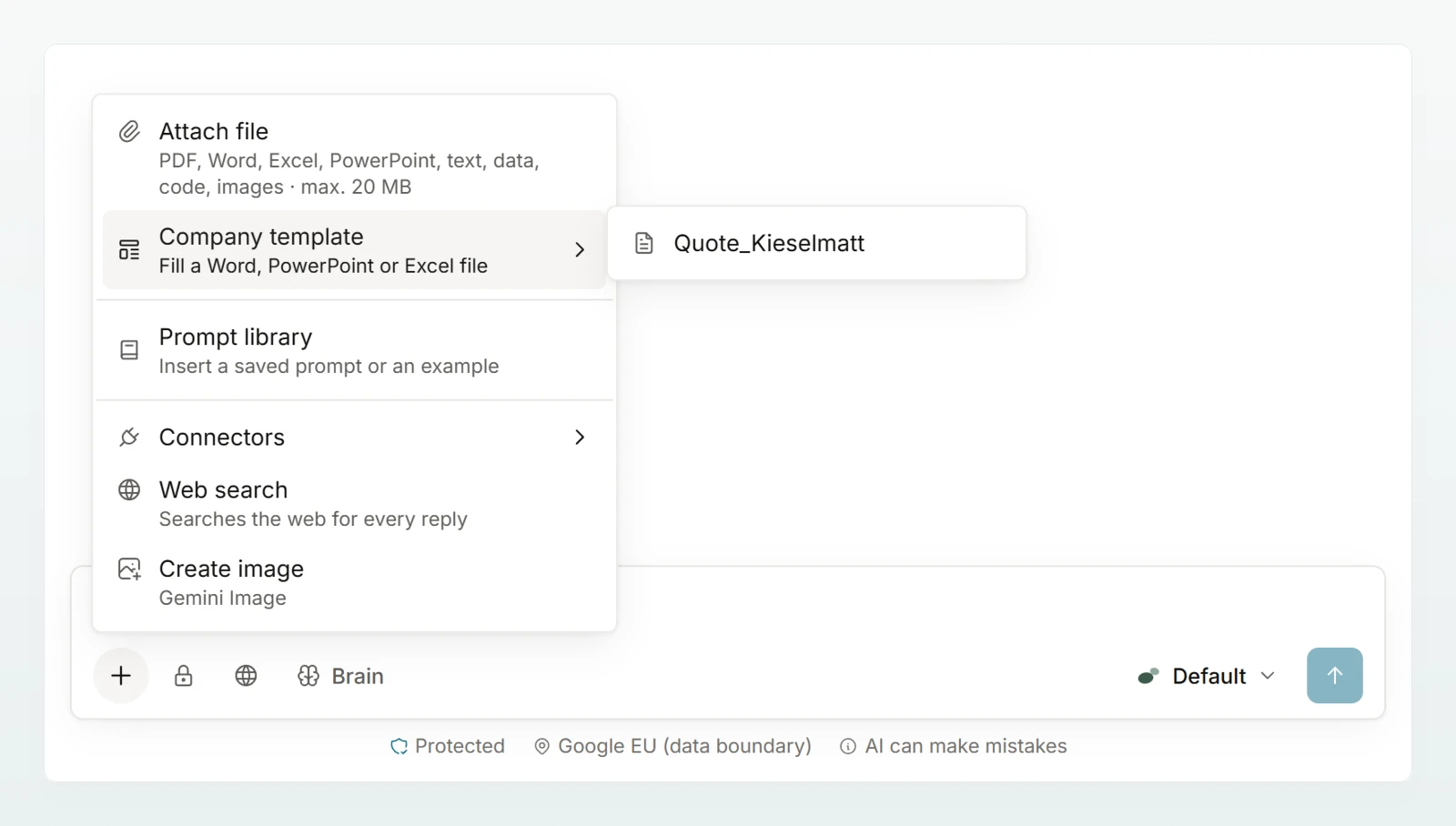
Click Add in the message box, then Company template. Choose the template; the default template of a kind is marked Default. A copy named like the template appears above the message box.
Give the details
Write what belongs in it and attach the basis, such as the fee schedule:
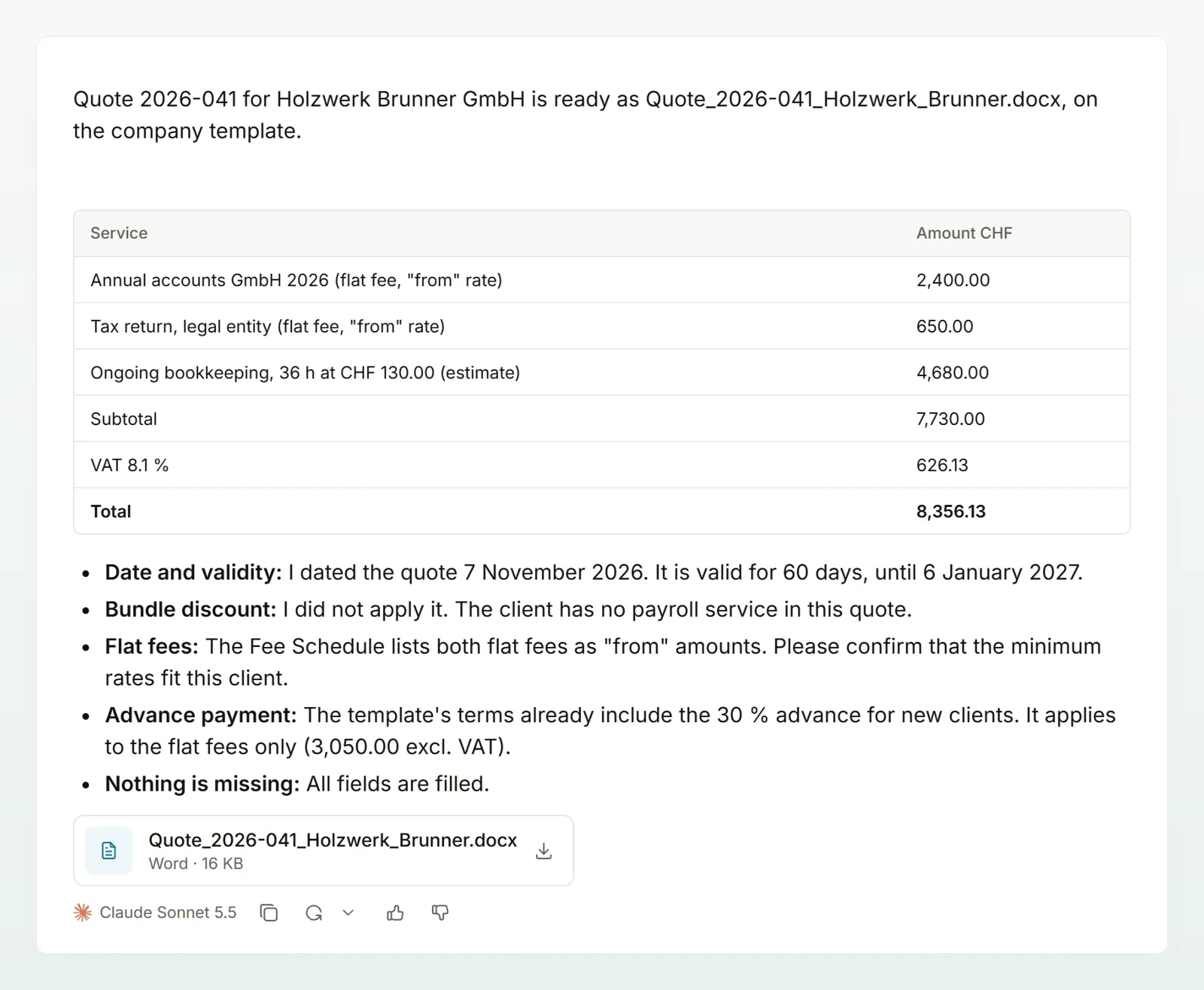
Create the quote for Holzwerk Brunner GmbH, Ms Andrea Sutter: annual accounts 2026 as a flat fee and ongoing bookkeeping with 36 hours. Rates from the fee schedule.
Check the result
While the model works you see Filling the template…. The finished file appears as a file card in the answer. Click it to download it.
You do not have to attach anything. When you ask for a new document, presentation or spreadsheet, the model starts from the default template of that kind, or from a template whose name fits better. If you want a file without the company layout, say so.
If there is no template yet, the menu shows No company templates yet. How an admin uploads templates is explained in Company templates.
What is checked
The file only appears once it passes every check. Otherwise the model corrects it first.
- Required fields are filled in or removed, and no placeholders are left.
- A line-item table is replaced completely, including the template's sample rows. Subtotal, VAT and total must add up.
- If a detail is missing, the model does not invent it. It puts in a visible gap such as "[missing: validity period]" and names it in the answer.
Ask for changes in the same chat, for example "Set the validity to 30 days". The model then edits the filled-in file, not the empty template.
Best practices
- Give all the details in one message: client, services, rates, deadlines.
- Attach the basis for amounts rather than relying on rates from the model's memory.
- Search the result for "[missing:" and fill in those places before you send it.
Frequently asked questions
If Custodos reports protected data, the template contains a detail your data protection settings do not send to a model. An admin then needs to adjust the template. If you see "The template could not be attached.", try again.
No. Headers and footers that are not a field to fill in do not go to the model.