
My training
Complete the training assigned to you, confirm the AI usage policy and download your confirmation of participation.
Your admins can assign short trainings and introduce an AI usage policy for you to confirm. You find both under Settings › Personal › My training; when a mandatory training is due, a line in the sidebar reminds you too.
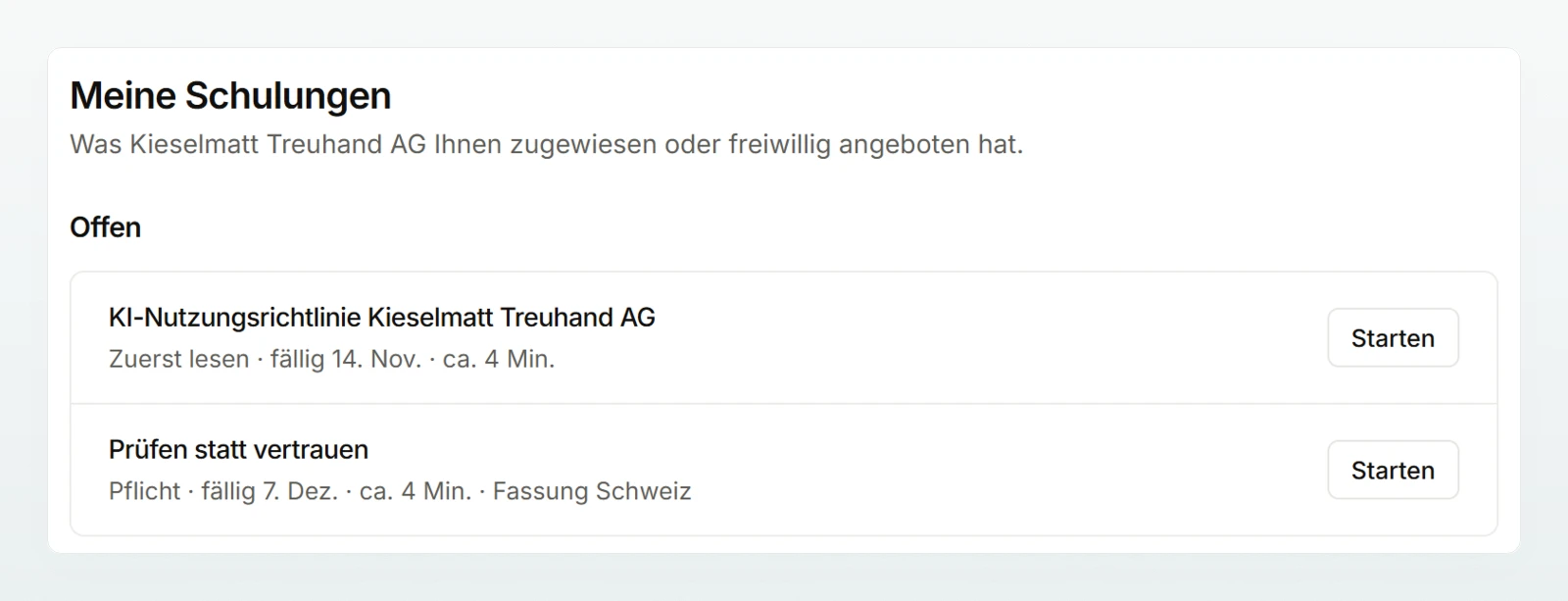
| Level | Meaning |
|---|---|
| Read first | the AI usage policy |
| Required | with a deadline and email reminders |
| Optional | no deadline, no reminder |
Complete a training
Open the training
Click Start or Continue on the training.
Work through the parts
Watch 90% of the video or confirm the Transcript (read instead of watching). Page through a PDF to the last page. Answer every question in the Knowledge check correctly; after a wrong answer you see a hint and try again.
Finish
Click Finish, or Confirm for an acknowledgement.
There is no score. If an admin changes the training while you have it open, you see the new version and work through that.
The AI usage policy
Read the policy, tick the box and click Confirm. The time and the version are stored. A changed policy appears with a sentence on what is new; your earlier confirmation stands until the deadline.
If you join a workspace with a policy, the chat shows "Before you start" instead of the message box. Click Read the policy and confirm; the chat is then open.
Until then, every AI feature is locked: chat, translation, images, describing an agent and "Test the Brain". You can still read existing chats, open the settings and complete trainings. People who were in the workspace before the policy was introduced are not locked out; they receive an email and have 7 days.
Deadlines and reminders
- When a mandatory training is assigned, you receive an email with the deadline.
- Reminders go out 7 days before the deadline, on the day and weekly after that. For the first confirmation of the policy (a 7-day deadline), the first one is dropped.
- If an admin extends your deadline, you receive an email with the new deadline.
What your admins see
| Your admins see | Your admins never see |
|---|---|
| assignment, deadline, status and completion date | your answers in the knowledge check |
| the policy version you confirmed | a score or the number of attempts |
| an exemption with its reason | time spent and progress in an open training |
The records stay after you leave and are deleted at the end of the third year after that. The content from the Custodos library is available in German only.
Frequently asked questions
A part is still open. The note next to the button says what is missing, such as a video below 90% or a question not yet answered correctly.
An admin has exempted you, for example because of external training. The reason is shown next to it. You do not need to do anything.