
Personal settings
Set your default model, “About me” and “Response style”, and what of it is sent with your messages.
With your personal settings you choose which model answers for you on Default and what the model should know about you and the style you prefer. They apply only in this workspace and only to you. Admins cannot see them.
Setting them
Open your profile
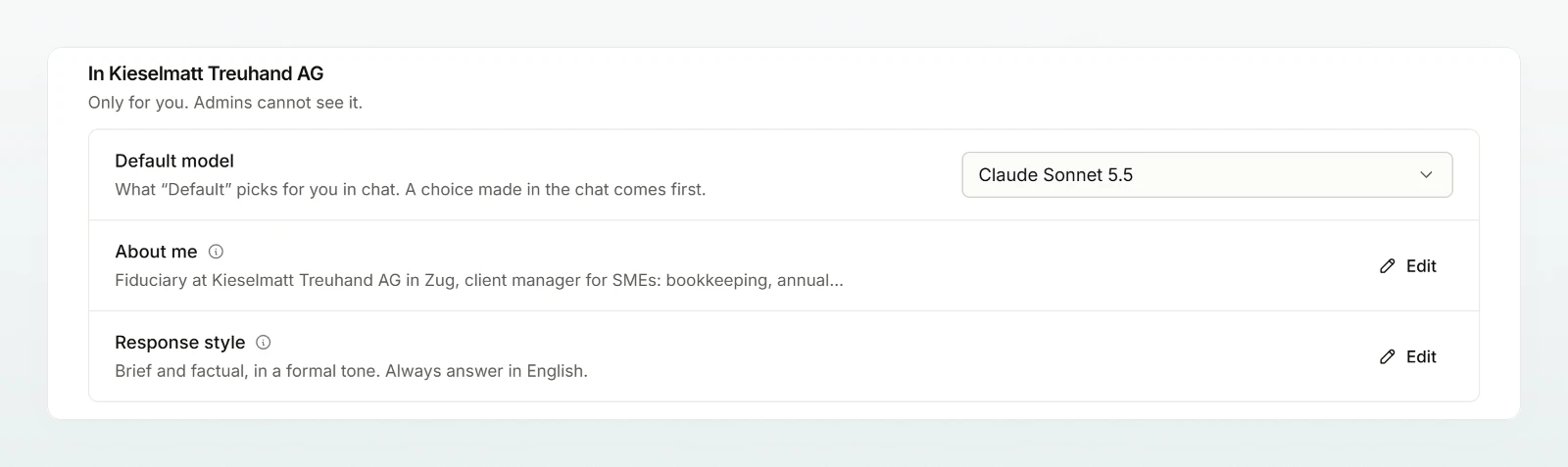
Click your name at the bottom of the sidebar, then Profile. The section carries your workspace's name.
Choose a default model
Pick a model under Default model. Workspace default names the model that answers otherwise in brackets; if your group sets one, the group default is shown there. The choice applies at once.
Fill in “About me”
Click Add next to About me and describe your role and tasks, for example “Fiduciary, look after SMEs' bookkeeping and VAT returns”. It is saved when you leave the field or click Done.
Set a response style
Describe under Response style how answers should look, for example “Short and factual, with bullet points”. An empty field removes the text.
What is sent
Your default model answers wherever Default is shown. A choice in the chat comes first, and an agent with its own model uses that one.
In ordinary chats and in projects, every message sends the model your display name, your About me and Response style texts and, in a company's workspace, the company's name too. That way it can, for example, sign a letter with your name. With agents and in the translator your texts are not sent.
Everything passes the same data protection as your messages. If a text contains something your workspace blocks, it is not saved and the field shows the last saved version again. If your admins tighten the rules later, Custodos stops sending the text and your profile says so.
Best practices
- Write your role and tasks, not your CV.
- Leave out health and private details: the texts go with every message.
- What applies to one task only belongs in the prompt or an agent, not in the response style.
Frequently asked questions
A choice in the chat comes first. In security mode the security model answers, with your budget used up the economy model. If your model is no longer allowed, the workspace default answers again.
No, only in the workspace where you set them. Name, language and appearance apply everywhere.