
Microsoft 365
Connect OneDrive and SharePoint to use documents in chat, import them into a brain or let the model search them, read-only.
Microsoft 365 gives you access to your OneDrive and the SharePoint sites your Microsoft account can open. Custodos only reads, and it sees nothing you could not open yourself anyway.
Connecting Microsoft 365
Open connected accounts
Click your name at the bottom of the sidebar, then Account settings, and scroll to Connected accounts.
Click Connect
Click Connect next to Microsoft 365. You are taken to Microsoft.
Agree at Microsoft
Sign in with your Microsoft account, usually your work account, and confirm the requested permissions. If your organisation requires approval from IT, read the next section.
Check the connection
Back in Custodos, Microsoft 365 shows Connected and the connected account below it.
When your organisation requires approval
Many companies do not allow employees to connect apps to Microsoft 365 themselves. In that case your account settings show the message Your organisation requires a Microsoft 365 administrator to approve this connection before members can link it. Next to it is the link Approval link for administrators.
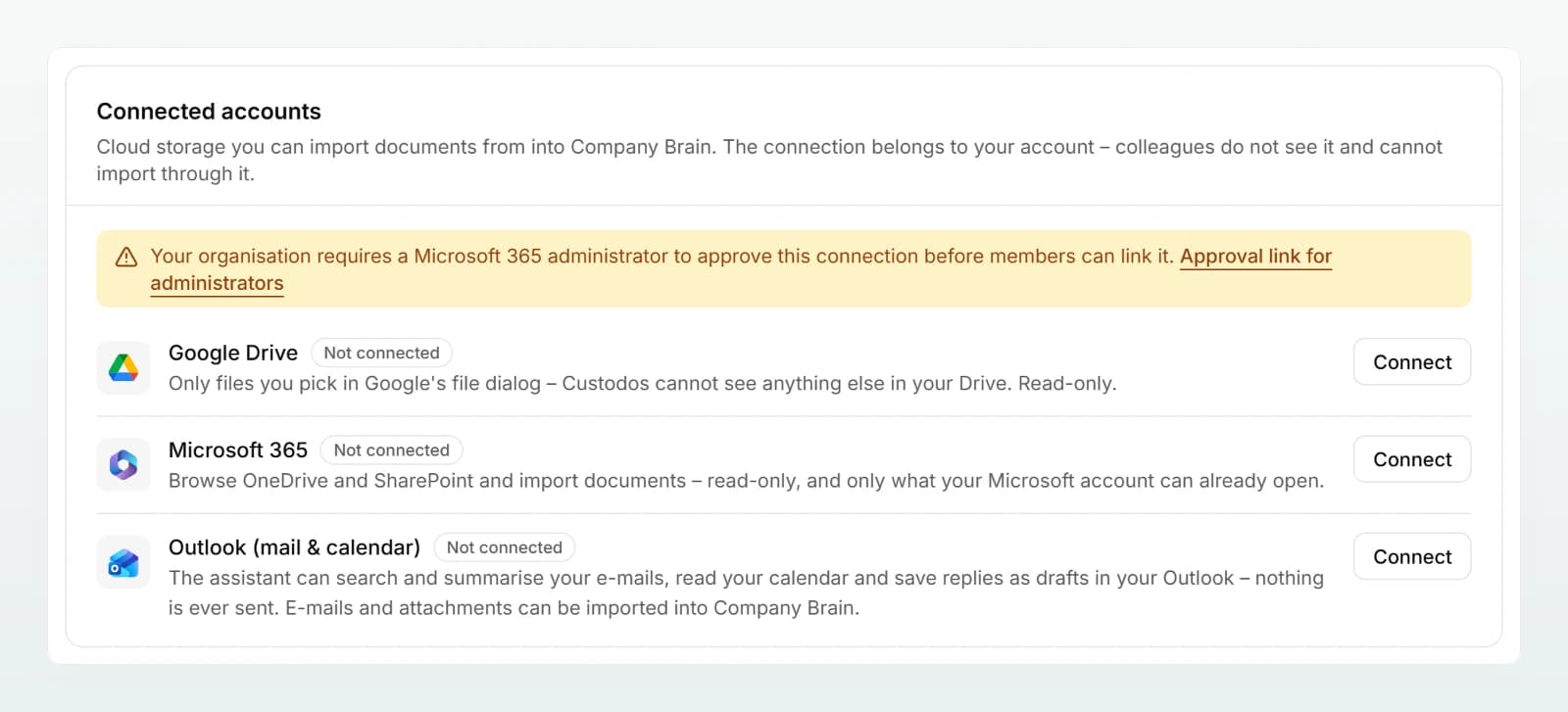
Copy this link and send it to your IT. Once approval has been granted, click Connect again. You can use this text:
Hello, I would like to use documents from OneDrive and SharePoint in Custodos. Our organisation requires approval from an administrator for this. Custodos only requests delegated, read-only permissions: read files I have access to (Files.Read.All), read SharePoint sites I am allowed to open (Sites.Read.All), read my profile (User.Read) and keep access without signing in again (offline_access). Here is the approval link: [insert link]. Many thanks.
Using files in chat
Open the menu
Click + in the input field and choose Microsoft 365.
Choose a location
The Choose a file from Microsoft 365 window lists your OneDrive and your SharePoint sites under Locations. Open a site, then a document library and the folders inside it. Back takes you up one level.
Click the file
Click the file, for example the Excel list with the payroll data of Holzwerk Brunner GmbH. The file appears as an attachment in the input field.
PDF, Word, Excel, PowerPoint and text files up to 20 MB can be attached, and in chat images too. Other files are greyed out and show the note Only PDF, Word, Excel, PowerPoint and text files up to 20 MB can be imported. You pick one file per click.
The model searches OneDrive and SharePoint
Once Microsoft 365 is connected, the model can search on its own when your question calls for it, for example: "Find the current fee proposal for Bäckerei Mehlwerk GmbH and summarise the items." It finds what you would find in Microsoft's own search, across OneDrive and every SharePoint site you are allowed to open. In the reply it names the files, usually with a link.
While searching you see Searching cloud files…, and while reading Reading a cloud file….
Importing into a brain
Open a brain you are allowed to edit, click Add sources and choose Microsoft 365. You pick the file in the same window as in chat. Custodos checks imported files for changes regularly, and Refresh from source does it immediately. This only works while your connection exists. More in Adding sources.
Disconnecting
In your account settings, click Disconnect next to Microsoft 365. Custodos deletes the connection immediately and can no longer access anything. The consent itself remains recorded in your Microsoft account. If you want to remove it there too, do so in your Microsoft account under the apps with access (myapps.microsoft.com). Attached files and imported brain documents stay, but they are no longer refreshed.
Frequently asked questions
The message only appears in your account settings and in a brain, not in chat. Start the connection from Account settings, where you see the reason and, where relevant, the approval link.
Microsoft did not finish the sign-in. Try again later. If the error persists, ask your IT whether sign-ins to external apps are restricted.
You cancelled the consent at Microsoft. Nothing was stored. Click Connect again.
Only those your own Microsoft account can already open, for instance on shared SharePoint sites. You never have more rights in Custodos than in Microsoft 365 itself.