
Managing connectors
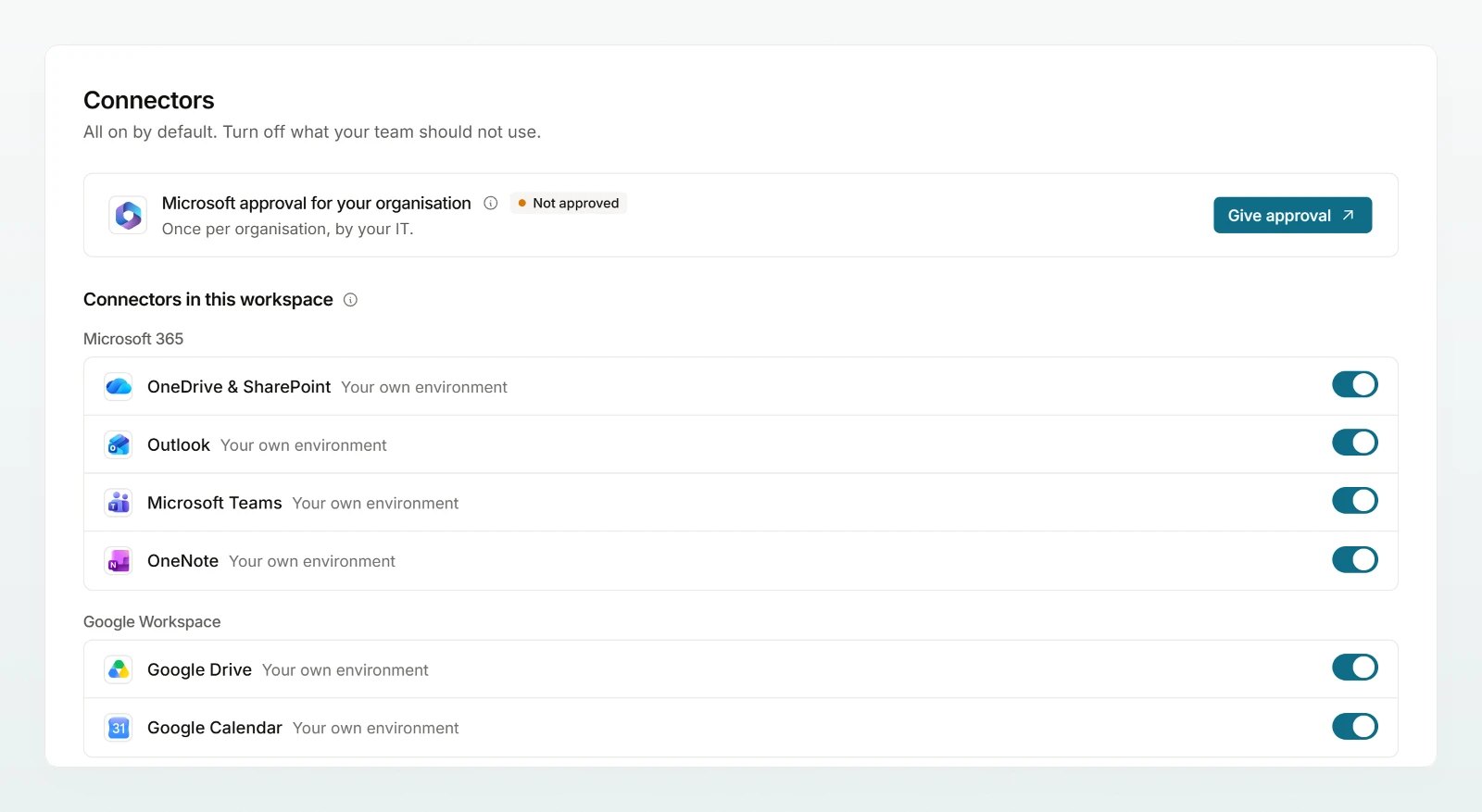
Switch built-in connectors on and off, give the Microsoft approval and decide who may use which connector.
Under Settings › AI › Connectors you decide which connectors your workspace allows. Each person then connects their own account, see Connectors overview.
Giving the Microsoft approval
Many Microsoft organisations only let members connect OneDrive and SharePoint, Outlook, Teams or OneNote once an administrator approves the app. The approval is given once for the whole organisation and gives nobody access to other people's data.
Start the approval
In the row Microsoft approval for your organisation, click Give approval.
Consent at Microsoft
Sign in at Microsoft with the Global Administrator or Cloud Application Administrator role and consent.
Check the result
Back in Custodos, the row shows Approved with the date. With Approve again you repeat the step later.
If the row is missing, Microsoft is not set up on this installation.
Switching connectors on and off
Under Connectors in this workspace every built-in connector has a switch. Next to the name you see where the data is processed.
- All built-in connectors start switched on. Switch off what your team does not need.
- A connector that is switched off is available to nobody, not even to an agent. Existing connections stay saved and apply again as soon as you switch it back on.
- Not configured: the provider is not set up on this installation. Write to us if you need it.
- Credentials missing: Abacus needs credentials that an admin enters, see Your own connectors.
- With Notion and with Confluence and Jira, requests go through a server run by the provider. An info icon says so.
What each connector reads and writes is listed in Connectors overview and More connectors.
Who uses which connector (groups)
If groups are switched on (on request), you choose Everyone, Selected groups or Nobody instead of the switch. Without a choice, nobody uses the connector.
Groups whose protection rules out a connector carry the mark Switzerland only or Security mode in the picker, with the number of members affected. In security mode there are no connectors, bexio included. Groups set to Switzerland only use only bexio and your own connectors marked Hosted in Switzerland. In a workspace with the region Switzerland, all others carry the mark Processed outside Switzerland.
Frequently asked questions
Usually the Microsoft approval is missing. Give it as described above, then the member connects their account again.
No. The assistant reads only with the rights of the person who connected. The exception is Abacus: there a service user set up by an admin reads for all members.
Next steps
What members connect and how they use it in chat.
Your own connectorsNotion, Atlassian, Abacus and your own servers.
Microsoft 365OneDrive, SharePoint, Teams and OneNote.
Groups (on request)Grant connectors per group.
Share the page Connectors overview with your team.