
Inviting members
Invite people by email, several at once if you like, or your whole team with an invitation link that has limits.
New people join your workspace through an email invitation or an invitation link. You find both under Settings › Members, and only admins can invite.
| Way | When it fits |
|---|---|
| Invitation by email | For admins, for individuals or a list, when you want to set the role and seat |
| Invitation link | For many people at once, such as the whole office. Everyone joins as a member. |
Inviting by email
Open the invitation
Under Members, click Invite at the top right.
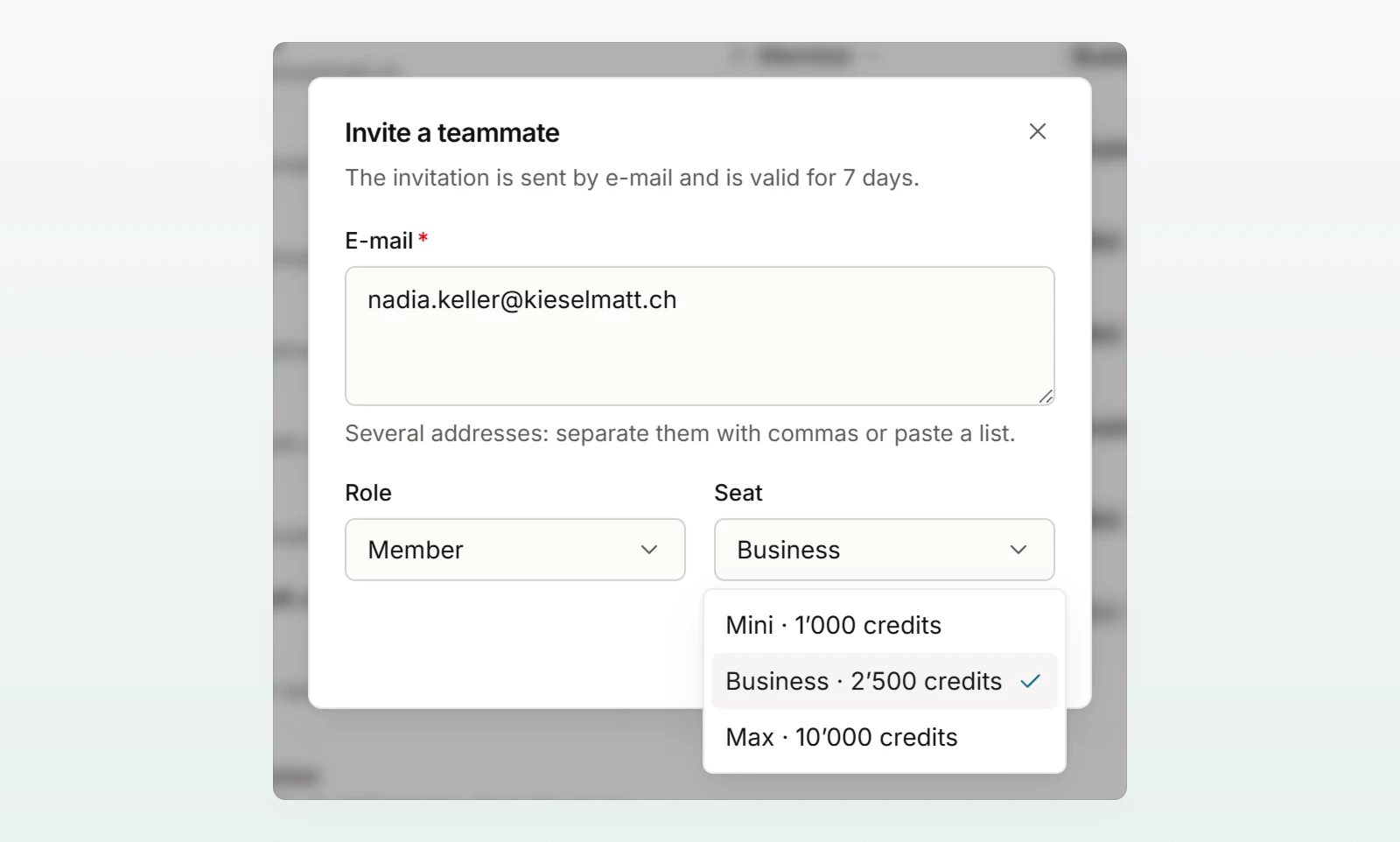
Choose addresses, role and seat
In the Invite a teammate window, enter one address under E-mail, or several separated by commas or pasted as a list. Choose the Role and the Seat. They apply to every address in this invitation.
Send
Click Invite. For several addresses, Custodos sums up how many invitations were sent and which addresses were not, for example because they are already members or invited.
- At most 50 addresses at once.
- A seat is billed only from acceptance. Until then you can still change the role and seat in the list, see Members.
- If the person already has a workspace, such as a personal one or another company's, Custodos shows them the invitation when they sign in, with Join. Their existing workspace stays.
With the invitation link
Create the link
Under the table, in the Invitation link row, click Create link.
Choose the limits
Choose Valid for (7, 30 or 90 days), At most (10, 25, 50 or 100 people) and the Seat each person gets.
Copy and pass it on
Under Your link, click Copy and pass the link on to your team. Custodos shows it this one time only.
After that the row shows how many have joined, the expiry date and the status Active, Expired or Used up. Create a new link makes the previous link invalid, Switch off ends it. Everyone who already joined stays a member either way.
The sign-in link
Under the invitation link is the Sign-in link. Anyone who arrives through it sees your logo on the sign-in page. It suits bookmarks and your intranet, but invites nobody.
Frequently asked questions
They are signed in with a different address from the invited one. They sign in with the invited address; the link stays valid. If they see "Invitation not valid", the invitation has expired, was withdrawn or was replaced by Resend.
If the list shows Mail not delivered, send it again with Resend in the row's menu. Otherwise ask the person to look in their spam folder.
If your workspace has a fixed number of seats, open invitations count too, and the link shows new people No free seats. Withdraw old invitations or write to us at [email protected].
Next steps
Manage roles, seats and open invitations.
Security: sign-inRequire SSO and restrict invitations to your domain.
You can pass the Quickstart on to new members.