
Budgets and limits
Each person has their seat's credits plus the shared reserve, and after that the economy model answers. Extra charges come only with automatic top-up.
A person's budget is their seat's credits, and you do not need to set anything for it. Once it is used up, they keep working with the economy model; nothing beyond it is charged unless you turn on Automatic top-up under Billing.
Budget per seat and reserve
Each person takes a seat of the Mini, Business or Max tier, and its credits are their monthly budget. Someone who needs more gets a larger seat under Members; it applies at once.
If your workspace has a shared reserve, such as credit packs you bought or credits we added at your request, a person whose budget is used up works on with it first. Whoever draws on it first uses it first. The budget starts again on your billing day.
Near and past the limit
From 90 % of their budget a person sees the line “Your monthly budget is almost used up.” below the input field, unless the reserve still has credits. Custodos sends no email for this. You see each person's standing under Members and Usage:
| Notice | Meaning |
|---|---|
| Budget nearly spent | 90 % of the budget used, no reserve |
| Using the reserve | Own budget used up, the reserve carries on |
| Throttled | Budget and reserve used up; the economy model answers |
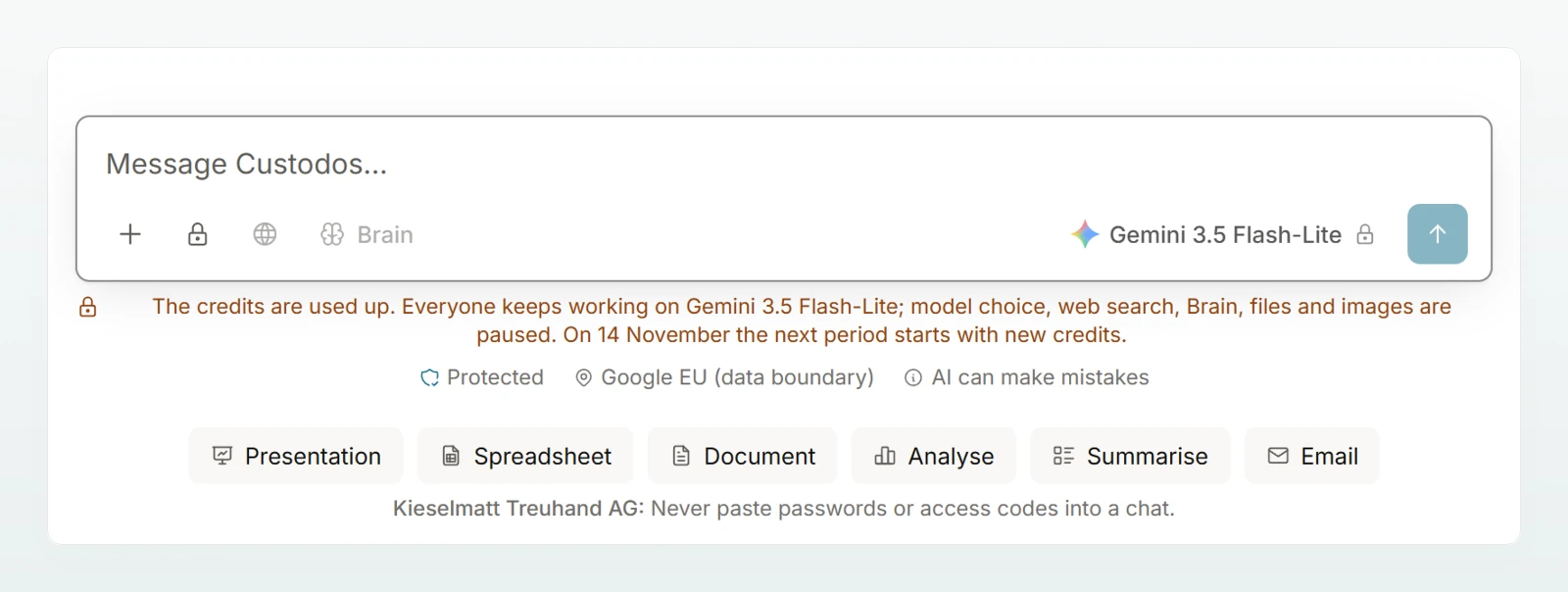
When throttled, a low-cost model the workspace allows answers until the next period. A banner in the chat names it. Model choice, web search, Brain, images and connectors are paused. In security mode, pseudonymisation and the region choice remain in place.
A group's shared budget (on request)
With groups you give a group a shared monthly budget, for example 20,000 credits for all the apprentices together. It applies on top of each member's own budget and adds no credits.
Open the group
Open the group under Settings › Groups.
Set the budget
Under Shared budget, choose Shared budget instead of None and enter the Credits for the whole group, up to 10,000,000.
Follow the usage
Under Used this period you see how much is used.
What counts is what today's members have used in this period since joining the group. Once it is used up, all members of the group work with the economy model; banners and notices name the group.
Pooled budget (on request)
For larger teams we set up a pooled budget on request: everyone has the same agreed tier and shares one pool. You then set the limits yourself:
| Limit | Where |
|---|---|
| Personal | Under Members with Set monthly budget, at most 1,000,000 credits |
| Per group | On the group's page under Monthly limit: Everyone's, Custom or No limit |
| For everyone | On the Everyone page under Groups |
A personal limit comes first; otherwise the highest limit of a person's groups applies, otherwise that of Everyone. The pool limits the total in every case.
Frequently asked questions
The shared budget of one of their groups is used up; the banner then names the group. During the trial, the workspace's trial credits may also be used up.
Normally nowhere: the budget is the seat's credits. Set monthly budget exists only with a pooled budget.
Next steps
Who uses how much, by member, model and group.
MembersAssign and change seats.
BillingSubscription, seats and credit packs.
Choosing a model explains to your team what the economy model means in chat.