
Retention and context cache
Delete chats automatically after a fixed number of days, and decide how long a provider may keep an ongoing conversation ready.
Two settings decide how long conversation data persists: Retention deletes chats in Custodos after a fixed period, and Cache duration controls how long the model provider keeps the already processed part of a conversation ready. Both are under Settings.
Delete chats automatically
Without this setting, chats are kept until members delete them themselves.
Open the section
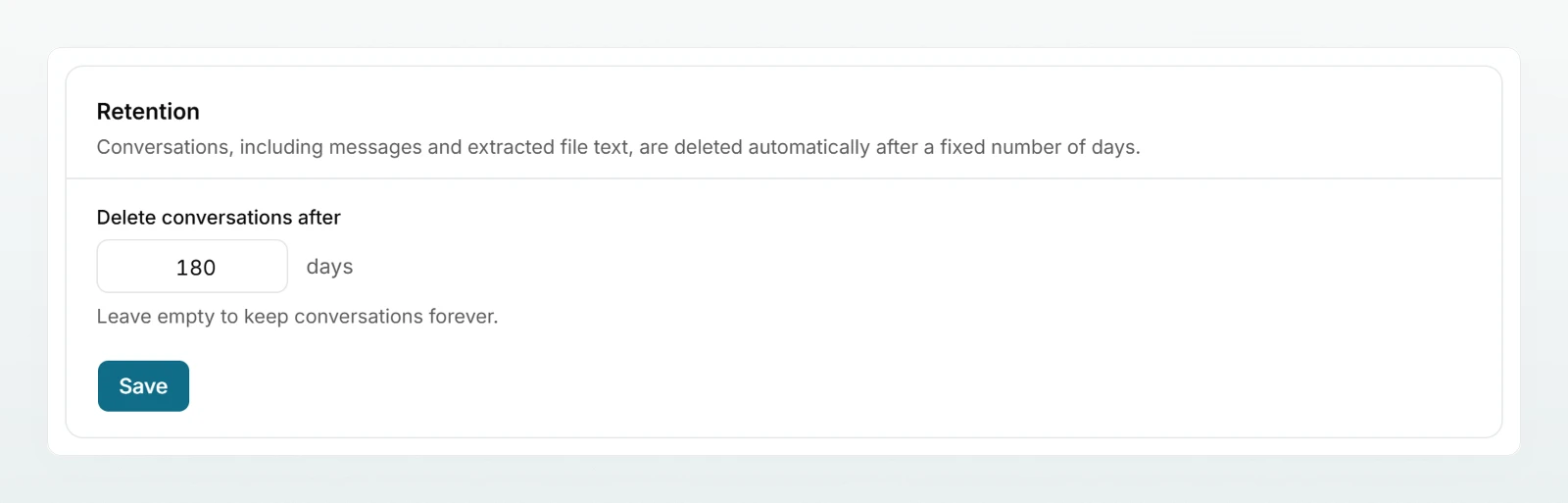
Click Settings in the sidebar and scroll to Retention.
Enter the period
Under Delete conversations after, enter the number of days, for example 180. If you leave the field empty, chats are kept forever.
Save
Click Save. The confirmation "Saved." appears.
What is deleted
- Every chat in the workspace whose last message is older than the period. This covers all members, shared chats, chats in projects and chats with agents. A chat that is still being written in is therefore kept.
- Together with the chat: all messages, attached files including their extracted text, generated files, and the mapping of placeholders to original values.
What stays
- Brains and their documents
- Agents and their files
- Projects, even if their chats were deleted
- The activity log
- The usage figures on the Usage page
Members see the setting in their account under "How your data is handled here", for example "Chats auto-delete after 180 days".
Set the context cache
With every message, the model reprocesses the whole conversation so far. The provider can keep the already processed part ready for a while. Replies then start faster and cost fewer credits.
Open the section
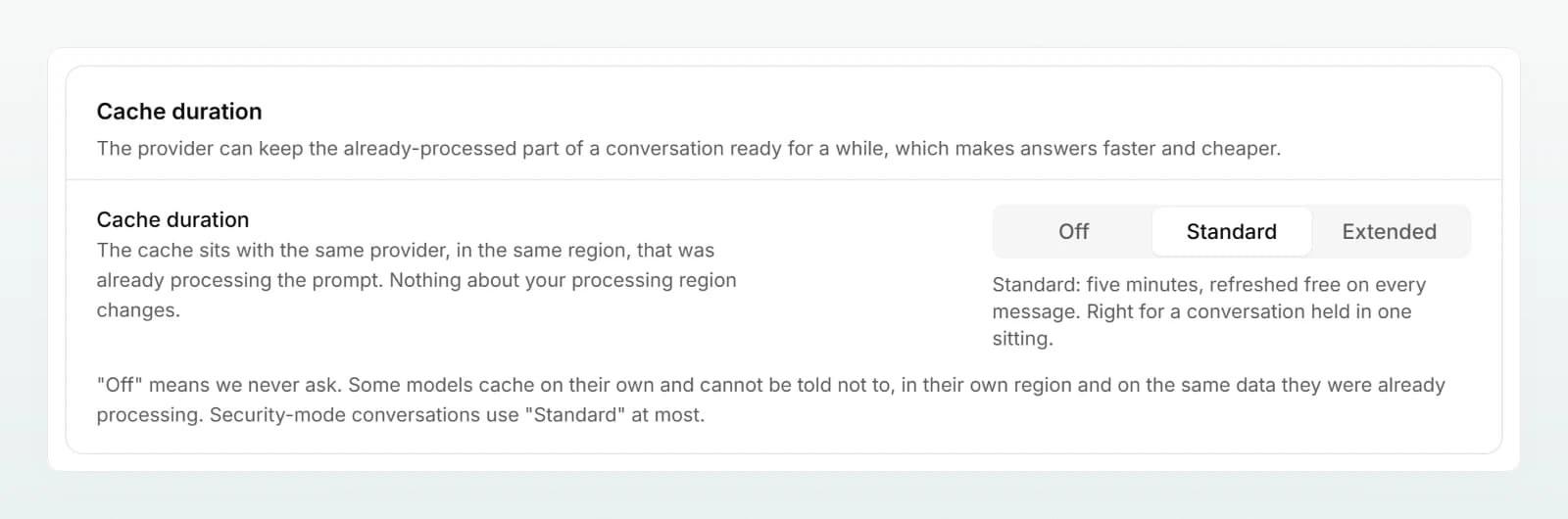
Under Settings, scroll to Cache duration.
Choose a duration
Click Off, Standard or Extended. The choice is saved at once, and the line below explains what it does.
| Setting | What it does | Suits |
|---|---|---|
| Off | Custodos never asks for a cache. Every message reprocesses the whole conversation, which costs more credits and starts slower. | Requirements that rule out any caching |
| Standard | Five minutes, refreshed free on every message. The default. | Conversations held in one sitting |
| Extended | One hour, so a conversation survives a break. Cheaper if you come back to a chat, slightly more expensive for very short conversations. | Long chats with large documents that people return to |
Good to know
- Location: the cache sits with the same provider, in the same region, that was already processing the prompt. Nothing about your processing region changes.
- Off does not mean "nowhere": some models cache on their own and cannot be told not to, in their own region and on the same data they were already processing.
- Extended is not available everywhere: if a model does not support the long duration, Standard applies there.
- Security mode: chats in security mode use Standard at most.
- Separate per workspace: your workspace's entries cannot be used for other customers. If you change the protection mode, the detected categories or brain access, a new cache begins.
- Expiry: cached data expires at the provider by itself after the cache duration. Deleting a chat in Custodos does not end it early.
The only thing members notice about the cache is that replies in long chats start sooner.
Best practices
- Align the period with your internal retention rules and write it down there.
- Ask the team to download important results or save them in a brain before the period ends.
- Keep the cache duration on Standard. Choose Extended if your team often returns to long chats with large documents after meetings.
- Choose Off only if a requirement demands it, and expect higher usage.
Frequently asked questions
No. Only chats with their messages and files are deleted. Brains, agents and their files are kept.
No, the period applies to every chat in the workspace. It counts from the last message, so a chat that is still in use is kept.
No. Deletion is permanent.
No. The cache sits with the provider that processes the conversation anyway, in the same region.
Next steps
Who sees what and how deletion works.
Configuring data protectionWhat happens before sending.
Credits and usageHow the cache affects usage.
Activity logLook up changes to these settings.
Share the Your account page with your team, where everyone can see the retention period that applies.