
Credits and usage
All seats fill one shared credit pool that renews on the billing date. When it runs out, everyone carries on with a cheaper model, at no extra cost.
Custodos measures usage in credits. Every model reply costs credits, and so do web searches, generated images and processing documents in a brain. Your team shares one pool, and the Usage page shows how much of it is used.
What a credit is
A credit is worth 0.01 in your workspace's currency, for example EUR 0.01. The top of the Usage page says so too.
How many credits a reply costs depends on the model and on the amount of text. What counts is what goes to the model (your message, the chat so far and attached files) and what it writes back. The model picker in the chat shows roughly how many credits a reply costs for each model. More under Choosing a model.
The shared pool
Every paid seat adds the credits of its tier to the pool: 1,000 for Mini, 2,500 for Business, 10,000 for Max, unless something else was agreed.
- Renewal: the pool renews every month on your billing date. The month's unused credits expire then.
- New seats: their credits go into the pool immediately, not next month.
- Fewer seats: nothing is taken out of the current month.
- Trial: the whole team shares 300 credits, whatever the number of seats.
Two more lines can appear under the number of credits used. A bonus is credits we added for the current month; they expire on the billing date. A pack balance never expires: it carries over into the next month and is only used after the month's credits.
The Usage page
In the sidebar under Workspace, click Usage.
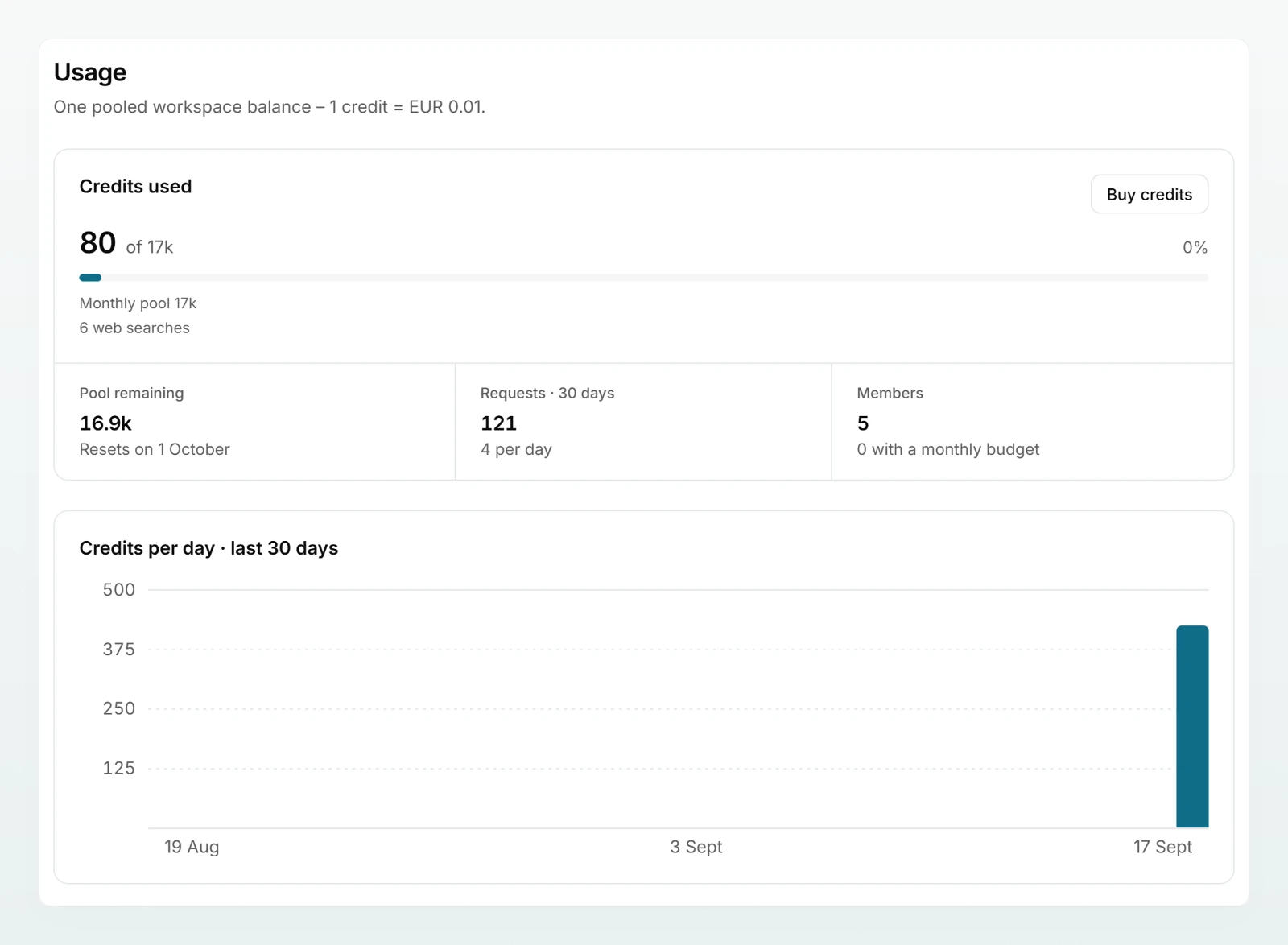
| Area | What it shows |
|---|---|
| Credits used | This month's usage against the pool, as a percentage. From 80% the display switches to a warning colour. Below it, what the pool is made of and the number of web searches. |
| Pool remaining | What is left and the date the pool resets |
| Requests · 30 days | Number of requests in the last 30 days and the average per day |
| Members | Number of people and how many of them have a monthly budget |
| Credits per day · last 30 days | The trend as a chart |
| By member · this month | Each person's seat, credits used and monthly budget |
| By model · this month | Requests, tokens and credits per model. A model that is no longer available is marked no longer offered. |
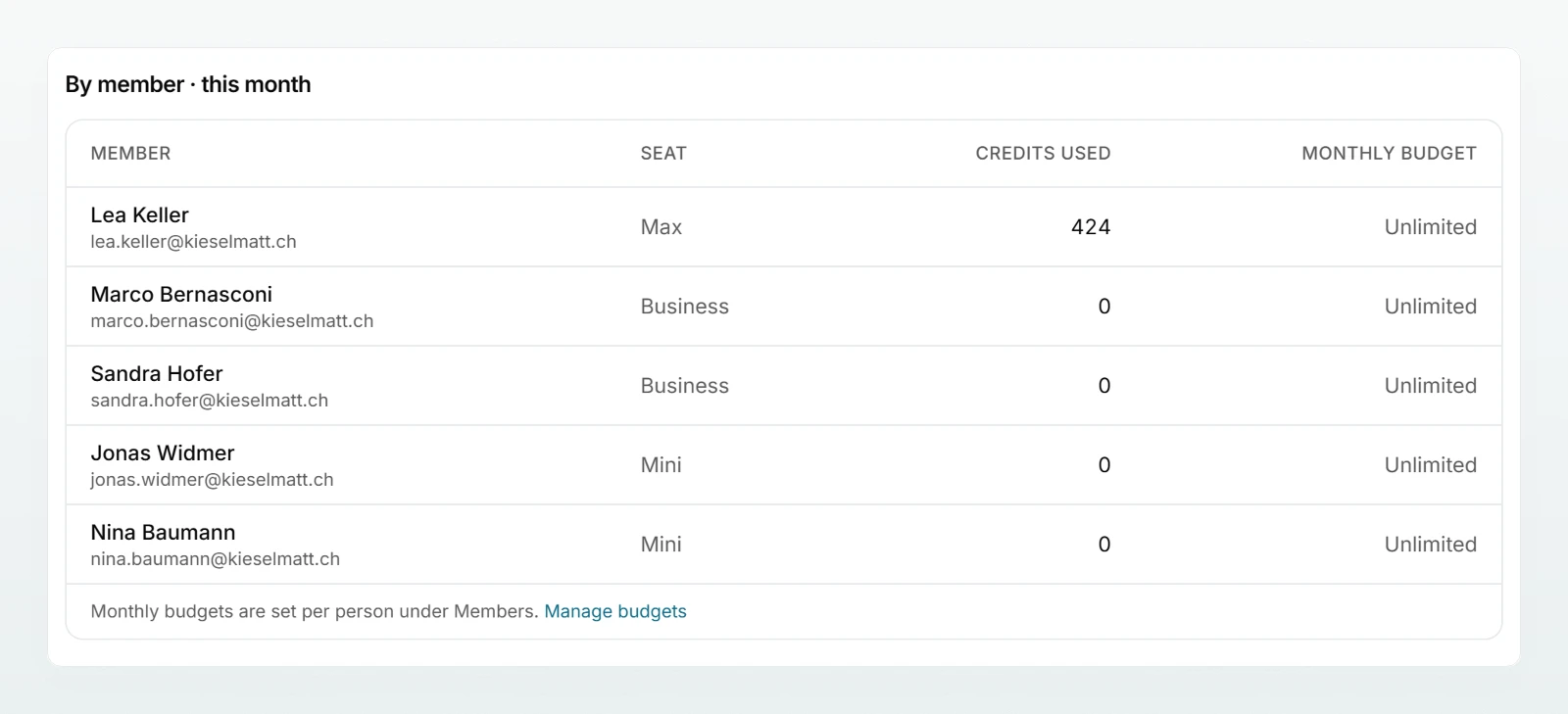
The page only shows numbers, never chat content.
Monthly budget per member
A monthly budget limits how many credits a single person may use. You set it under Members and roles, and the Usage page displays it. The budget counts from the billing date. Once it is used up, the person can only write again when you raise the budget or the next month starts, even if the pool still has credits left.
When the pool is used up
Nobody is locked out, and there are no extra costs:
- Everyone carries on with a cheaper model. The chat shows a notice naming it.
- The model picker is locked until the pool has credits again.
- Image generation pauses. Web search and the tools for Outlook, cloud files and targeted brain search are not available either.
- Nothing beyond the pool is invoiced.
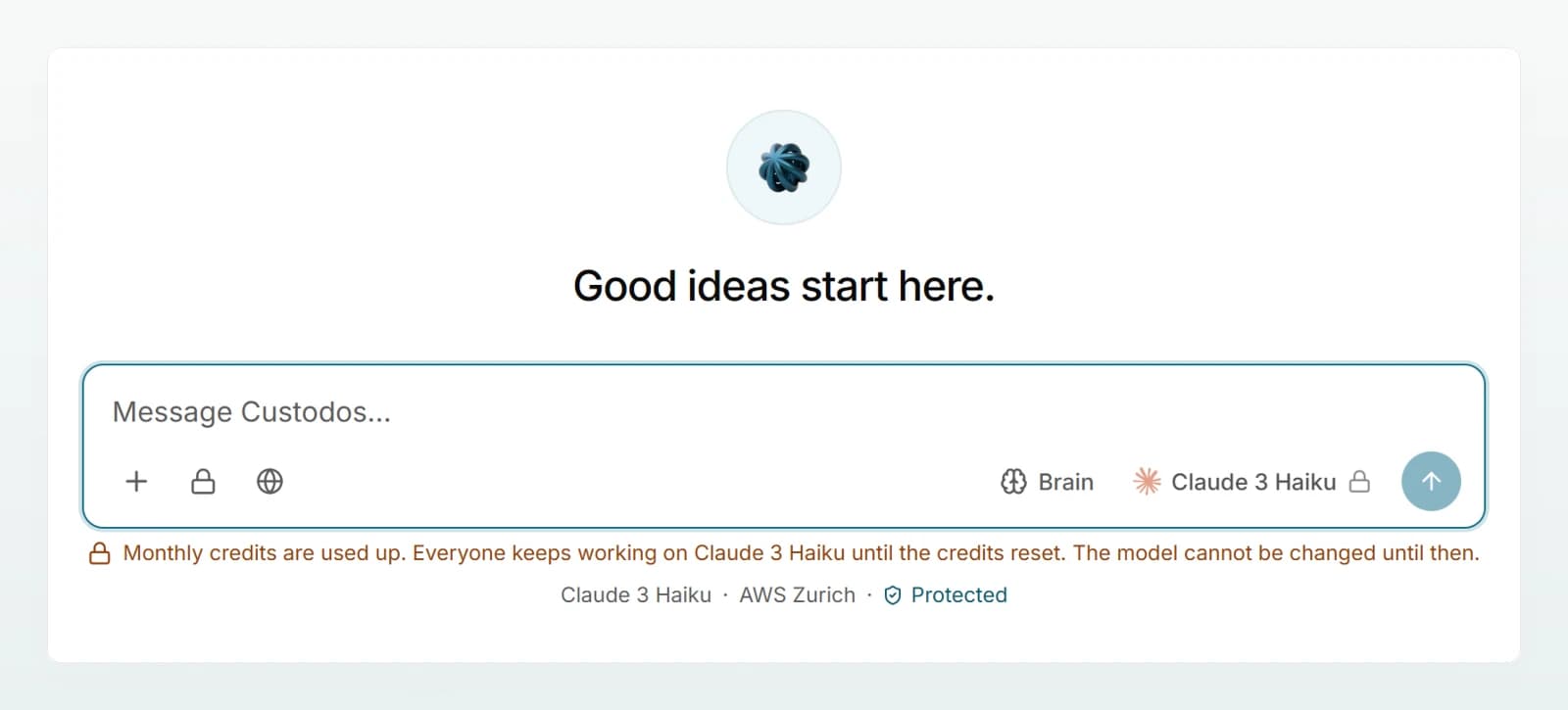
As soon as credits are available again, on the billing date or because seats or credits are added, everything works as usual.
More credits
- More seats or higher tiers: under Seats and billing. The credits go into the pool immediately.
- Credit packs and automatic top-up: cannot be bought online at the moment. Write to [email protected] and we will add credits. If your Billing page shows the section Request a larger pool, you can also send the request there.
What costs more credits
| What | Why |
|---|---|
| Large and reasoning models | A higher price for the same amount of text. Hidden reasoning is charged like reply text. |
| Long chats | Every new message sends the whole chat so far with it. |
| Attached files | A file stays in the chat and is sent again with every message. |
| Web search | Every search costs extra, see Managing web search. |
| Generating images | Charged per image, see Generating images. |
| Processing documents in a brain | About 0.5 credits per 20 pages |
Best practices
- Let your team work with Auto and choose a large model only for demanding tasks. Choosing the right model helps with that.
- Start a new chat for a new topic, so the old conversation is not sent along every time.
- Documents used often belong in a brain rather than attached to many chats. In the Automatic retrieval mode, only matching passages go to the model.
- Look at the Usage page once a month. If usage regularly reaches 80%, an extra seat or a higher tier is worth it.
- The context cache lowers costs when your team often continues long chats.
Frequently asked questions
No. Your team carries on with a cheaper model, and nothing beyond the pool is charged.
The month's credits expire on the billing date, and so does a bonus. Pack balance does not expire.
Their monthly budget is used up. Raise it under Members, or leave the field empty so that no budget applies.
Your workspace has no credits this month, for example because the trial has ended. Write to us at [email protected] so we can set up your plan.
Next steps
Add seats and change tiers.
Members and rolesSet monthly budgets per person.
Models and regionsWhich models your team may use.
Choosing the right modelWhen a large model pays off.
Share Choosing a model with your team: it explains what a reply costs and what happens when credits run out.